v0.1.1 — now with auto-updates

Cool Router is a free, self-hosted LLM gateway. Connect OpenAI, Anthropic, Gemini, OpenRouter and 60+ providers, then point any app at a single OpenAI-compatible URL. Automatic fallbacks, API keys, usage and logs included.

docker run -p 20128:20128 ghcr.io/cyberromeo/cool-router

Works with

  • OpenAI
  • Anthropic
  • Google Gemini
  • OpenRouter
  • DeepSeek
  • Groq
  • Mistral
  • xAI
  • Ollama

How it works

Your app talks to one URL. Cool Router picks the route.

When a provider hits a rate limit or goes down, requests fall back to the next one automatically.

60+Providers
13Routing strategies
1Endpoint
0Cloud

Features

Everything between your app and the model.

One gateway on your own machine, with routing, keys and logs built in.

One endpoint

/v1/chat/completions, /v1/messages, /v1/responses, embeddings, images and audio, all OpenAI-compatible.

60+ providers

API keys or account sign-in, including free tiers.

Combos & fallbacks

Chain models so a rate limit or outage never stops you.

API keys

Issue scoped keys for apps, teammates and coding tools.

Usage & logs

Tokens, cost and every request in one place.

Private by default

Runs on your machine; your keys never leave it. SQLite storage, works offline.

Auto-updates

New in 0.1.1. The desktop apps update themselves, and the dashboard tells you when a new version is out.

Desktop & Docker

Native apps for macOS, Windows and Linux, or a multi-arch container. Set your own password on first launch.

Dashboard

Every provider, one screen.

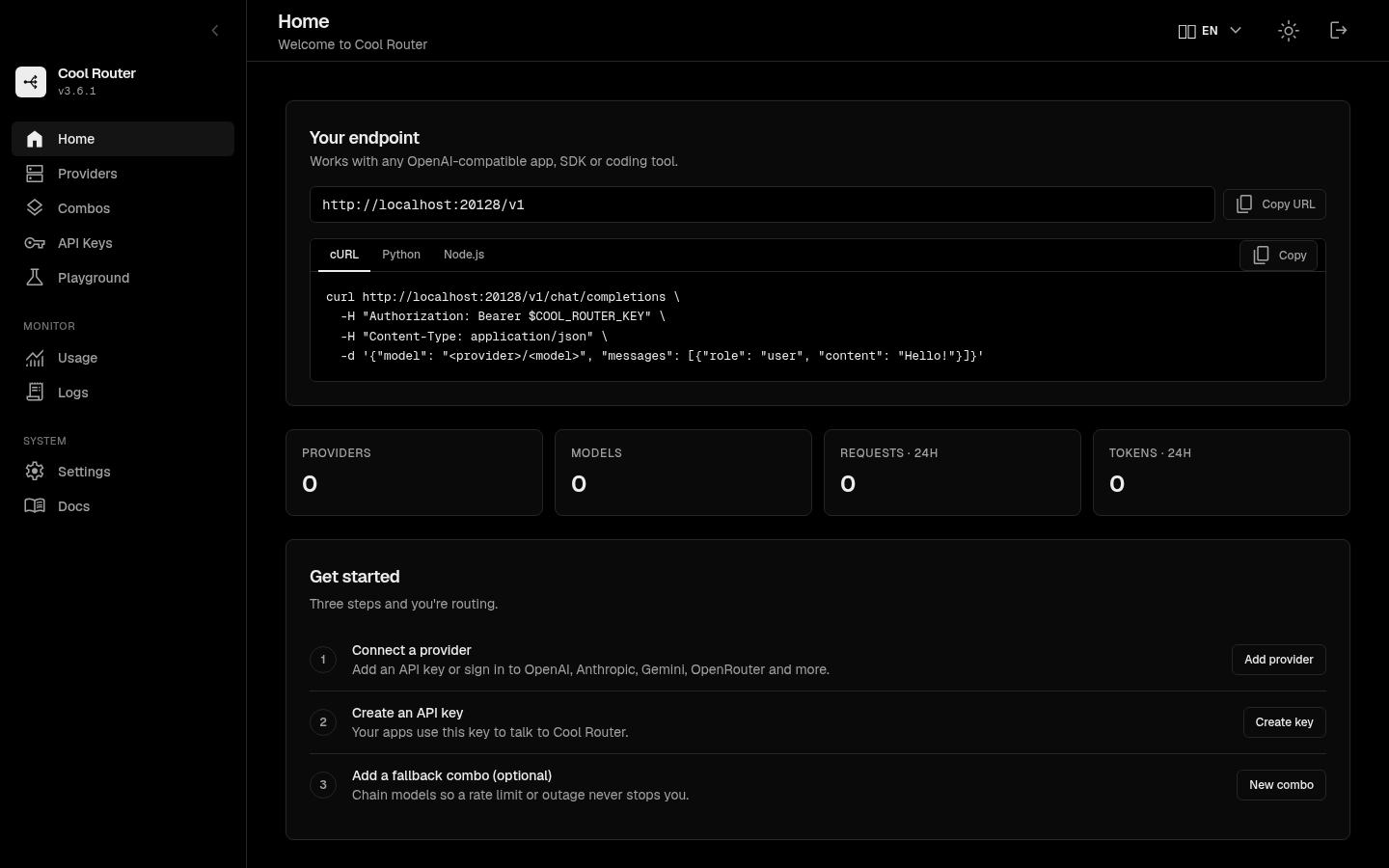
The Cool Router dashboard home, in dark mode
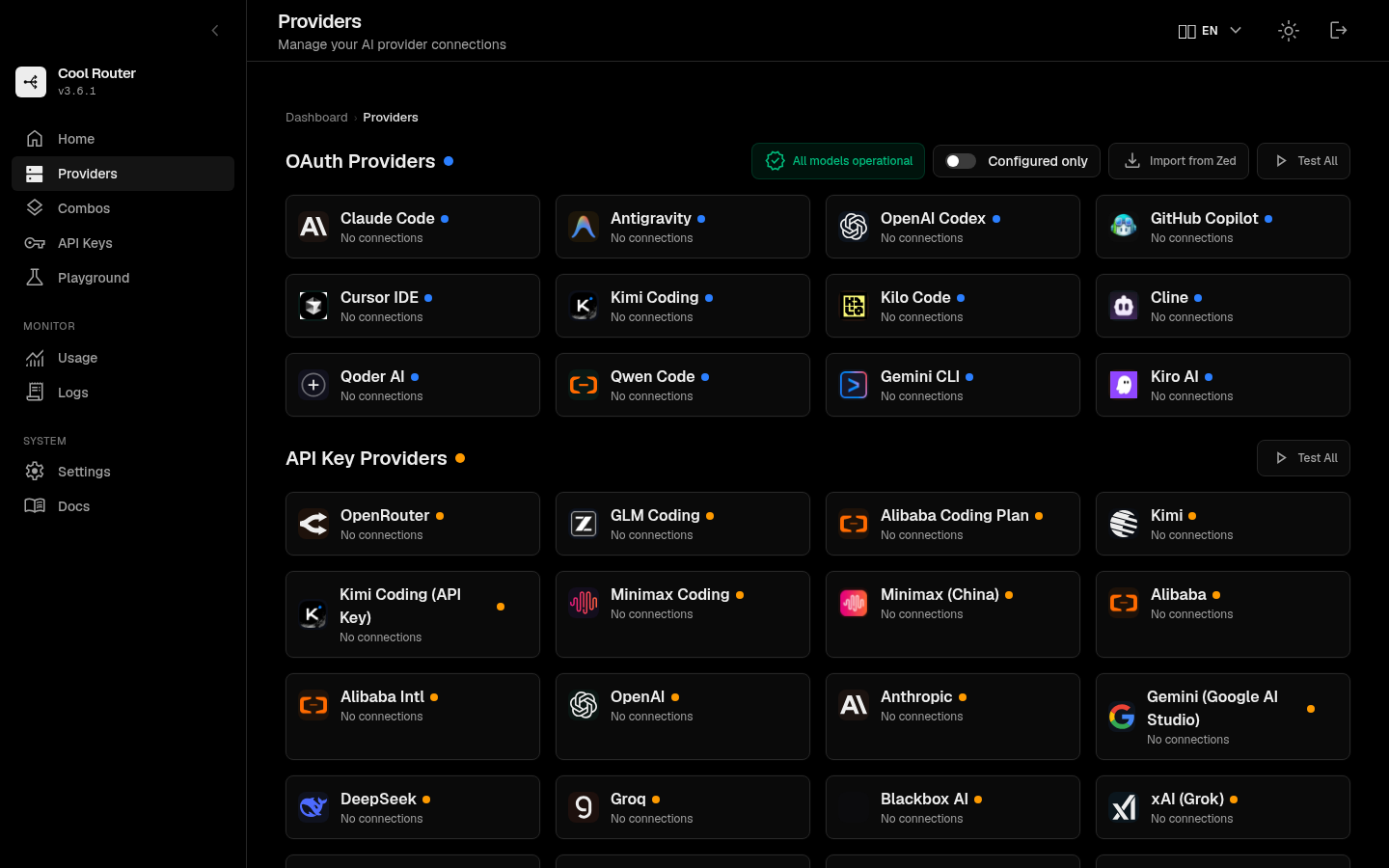
The Cool Router providers page, listing connected and available providers
Connect a provider in seconds.

Quick start

Running in under a minute.

Three steps from install to your first request.

01

Install

Run it

From source, with Node.js 20 or 22:

git clone https://github.com/cyberromeo/coolrouter && cd coolrouter && npm install && npm run build && npm start

Or with Docker:

docker run -p 20128:20128 -v cool-router-data:/app/data ghcr.io/cyberromeo/cool-router:0.1.1

02

Set up

Open the dashboard

Go to http://localhost:20128, create your password, add a provider and create an API key.

03

Connect

Point your app at it

Use http://localhost:20128/v1 as the base URL in any OpenAI-compatible client.

curl http://localhost:20128/v1/chat/completions \
  -H "Authorization: Bearer $COOL_ROUTER_KEY" \
  -H "Content-Type: application/json" \
  -d '{
    "model": "openai/gpt-4o-mini",
    "messages": [{"role": "user", "content": "Hello!"}]
  }'

Download

Download Cool Router 0.1.1

Desktop apps for every OS, or a container for your server.

Recommended for you

macOS

.dmg

Apple Silicon & Intel

Download for macOS
Recommended for you

Windows

.exe installer

x64

Download for Windows
Recommended for you

Linux

AppImage and .deb

x64

Download for Linux

Docker

ghcr.io/cyberromeo/cool-router

Multi-arch

docker pull ghcr.io/cyberromeo/cool-router:0.1.1
Release notes

Every release ships with SHA-256 checksums and Sigstore signatures. The macOS and Windows builds are not code-signed yet, so your OS may warn you on first launch.

FAQ

Questions, answered.

Is it free?

Yes. It is MIT-licensed and self-hosted.

Where are my API keys stored?

Encrypted in a local SQLite database on your machine.

Does it work with coding tools?

Yes, anything that accepts an OpenAI-compatible base URL, such as Cursor, Cline, Continue and Codex CLI.

What happens when a provider is rate limited?

Chain models into a combo and Cool Router falls back to the next one, so a rate limit or outage never stops you.

Route every model through one URL.